
In this article, I’ll provide an overview of the relationships within the Resource API family, which became stable in Angular v22.
Resource API Family
As of v22, the main public APIs included in the Resource API are as follows:
Resource<T>interfaceWritableResource<T>interfaceResourceSnapshot<T>interfaceresourceFromSnapshotsfunctionresourcefunctionhttpResourcefunction
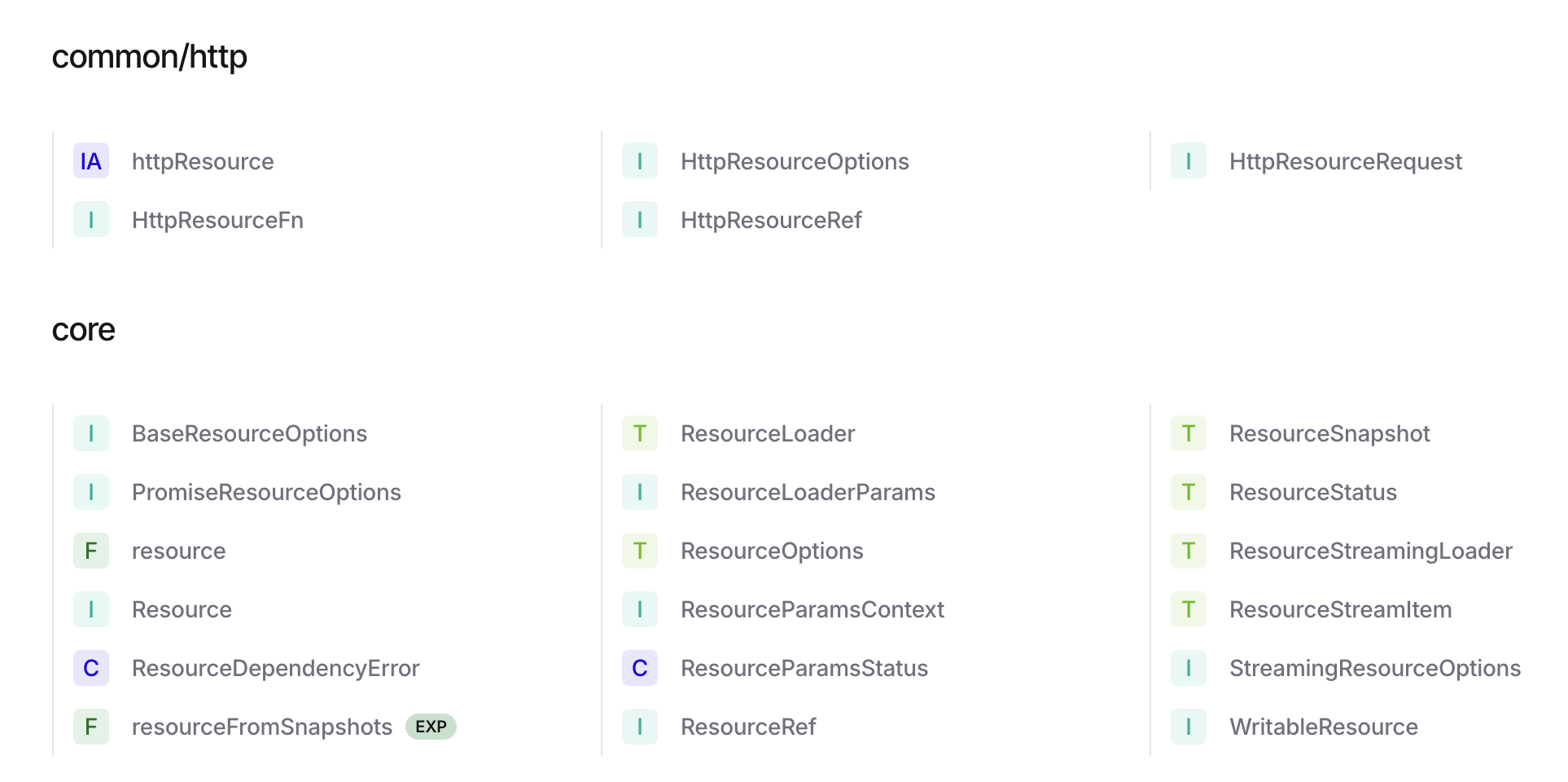
Let’s confirm their positions within the API family while explaining each one.
Resource<T> Interface
This interface sits at the heart of the API family. The Resource API family can be broadly divided into APIs that represent Resource objects and factory APIs for creating Resource objects. The Resource<T> interface is the common base type for all Resource objects and serves as the return type for factory APIs.
export interface Resource<T> {
  readonly value: Signal<T>;
  readonly status: Signal<ResourceStatus>;
  readonly error: Signal<Error | undefined>;
  readonly isLoading: Signal<boolean>;
  readonly snapshot: Signal<ResourceSnapshot<T>>;

  hasValue(this: T extends undefined ? this : never): this is Resource<Exclude<T, undefined>>;
  hasValue(): boolean;
}
As you can see, Resource<T> is read-only, and its responsibility is to return the values and states held by the Resource as Signal types. If an object conforms to this interface, it can be considered a Resource object. If you’re writing code that takes a Resource object as an argument and performs some action, that argument would require the Resource<T> type.
WritableResource<T> Interface
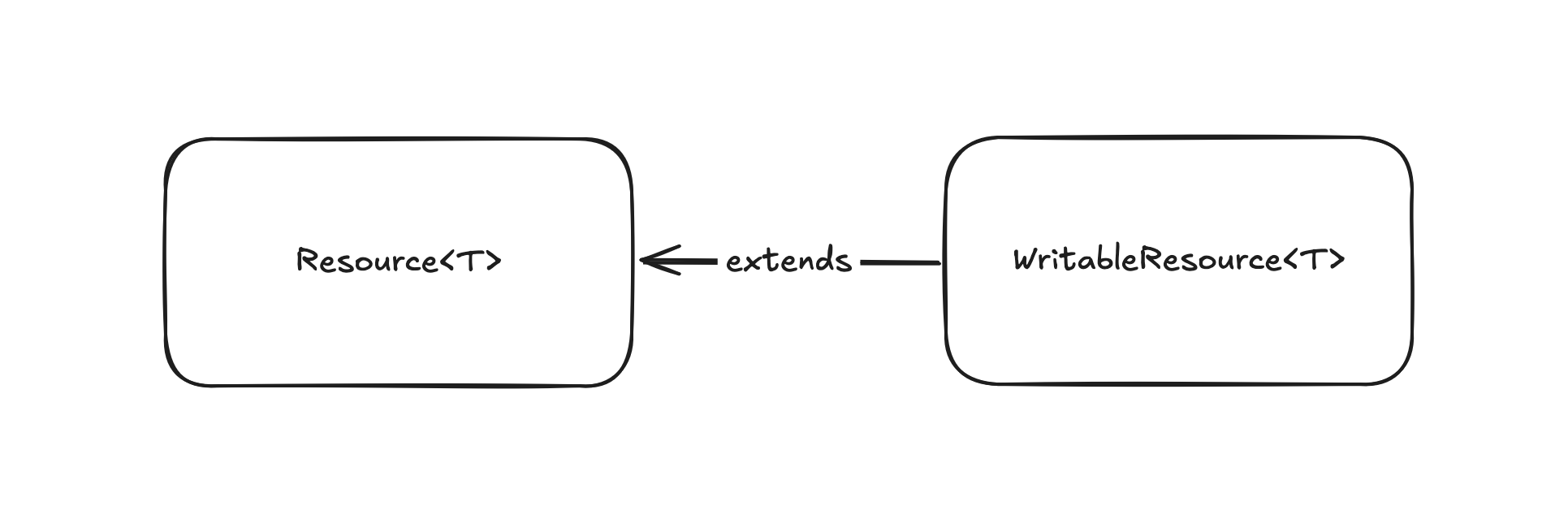
The WritableResource<T> interface extends Resource<T>, with the difference being that it supports writes. The value field is of type WritableSignal<T>, and it also provides set and update methods. You can also convert it to a read-only Resource<T> using the asReadonly method. Additionally, the reload method re-executes the last resource resolution, which also updates the value internally. In essence, WritableResource<T> allows the user to trigger value updates.
export interface WritableResource<T> extends Resource<T> {
  readonly value: WritableSignal<T>;

  set(value: T): void;
  update(updater: (value: T) => T): void;
  asReadonly(): Resource<T>;
  reload(): boolean;
}
ResourceSnapshot<T> Interface
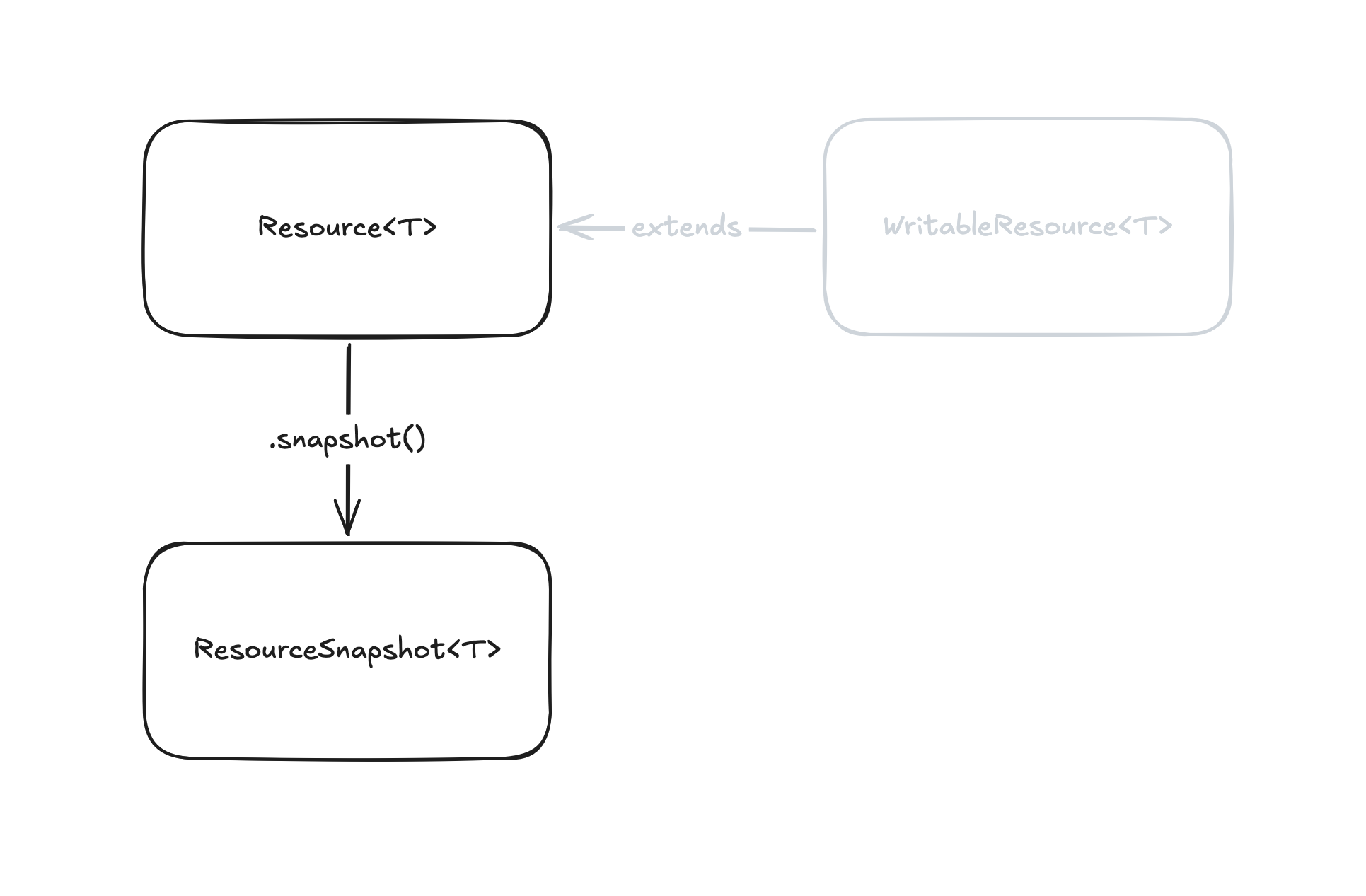
The ResourceSnapshot<T> interface represents an immutable object that captures the internal state of a Resource object at a specific moment. Specifically, it includes a status field indicating the resolution state of the Resource, and additional fields corresponding to each status. While a Resource is an object whose state changes asynchronously, that state always follows a so-called Discriminated Union type that falls into one of these snapshot types.
export type ResourceSnapshot<T> =
  | {readonly status: 'idle'; readonly value: T}
  | {readonly status: 'loading' | 'reloading'; readonly value: T}
  | {readonly status: 'resolved' | 'local'; readonly value: T}
  | {readonly status: 'error'; readonly error: Error};
The snapshot field of Resource<T> is related in that it returns the state at the time of calling as a ResourceSnapshot<T> type object.
resourceFromSnapshots Function
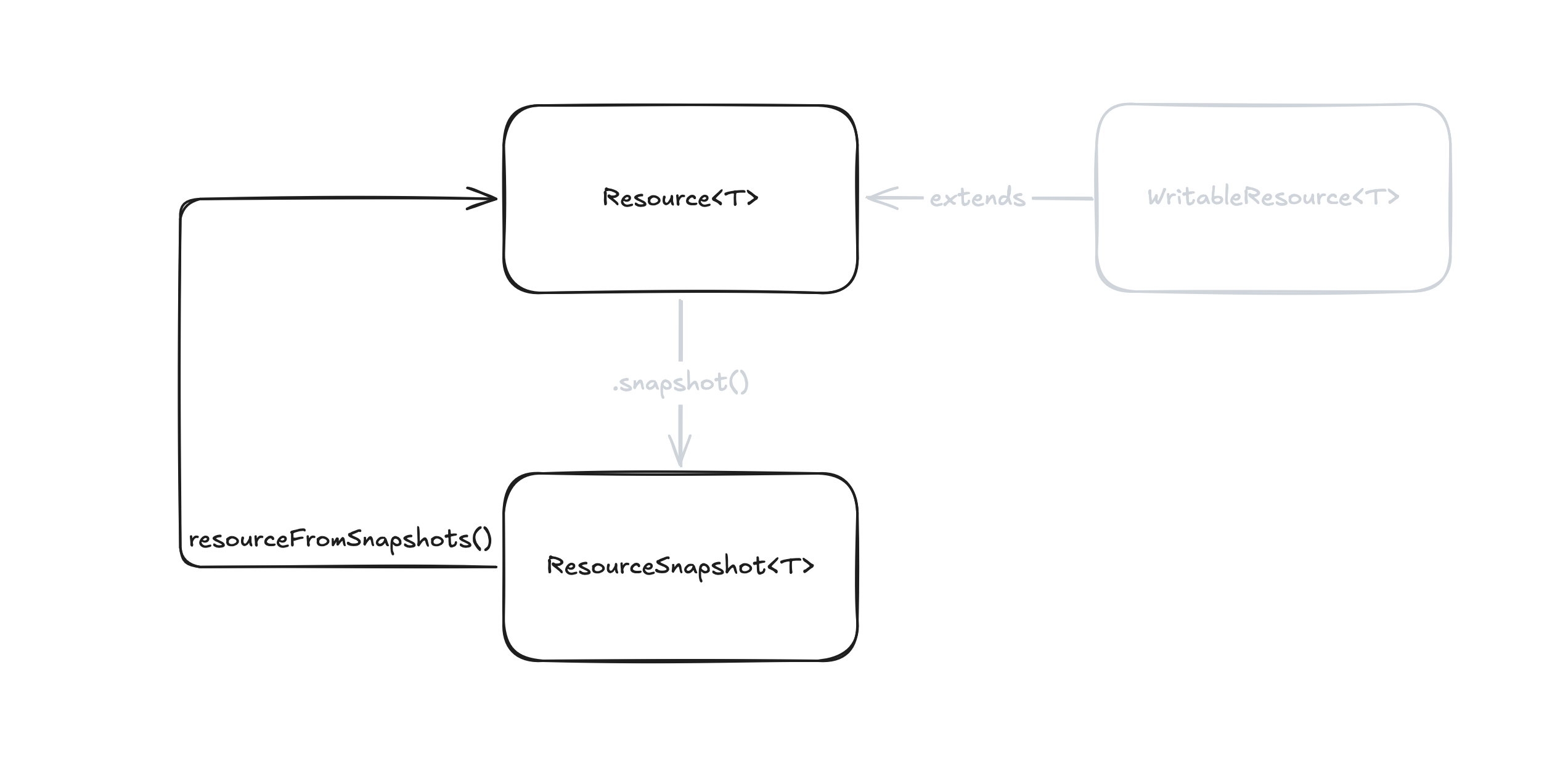
The fact that the possible states of Resource<T> can always be extracted as ResourceSnapshot<T> means that the continuous changes of ResourceSnapshot<T> are what define the Resource<T> itself. In other words, a Resource<T> is a Signal<ResourceSnapshot<T>>.
The resourceFromSnapshots function expresses this directly. It takes a function that returns a ResourceSnapshot<T> as an argument. If the argument is a Signal<ResourceSnapshot<T>>, it is subscribed to internally and automatically reflected in the state of the Resource<T>. Since the source is the source of truth for the state, what’s returned is a read-only Resource object.
function resourceFromSnapshots<T>(
  source: () => ResourceSnapshot<T>,
): Resource<T>;
const source = signal<ResourceSnapshot<string>>({status: 'idle', value: ''});
const res = resourceFromSnapshots(source);
expect(res.status()).toEqual('idle');
expect(res.value()).toEqual('');
expect(res.isLoading()).toBeFalse();
expect(res.hasValue()).toBeTrue();
// Update snapshot
source.set({status: 'loading', value: 'alpha'});
expect(res.status()).toEqual('loading');
expect(res.value()).toEqual('alpha');
expect(res.isLoading()).toBeTrue();
expect(res.hasValue()).toBeTrue();
You’re completely free to decide how to create the source Signal—it could be via the signal function, the input function, linkedSignal, or computed. As long as it ends up as a Signal<ResourceSnapshot<T>>, it’s fine. If you’re creating a Resource object for a specific purpose, this method is quite handy. Of course, if the built-in factory APIs I’ll mention later suffice, those are fine too.
resource Function
The resource function is a built-in Resource factory API. Unlike the resourceFromSnapshots function, it returns a writable Resource object based on declarative options. ResourceRef<T> is almost the same as WritableResource<T>.
function resource<T, R>(
  options: ResourceOptions<T, R> & { defaultValue: NoInfer<T> },
): ResourceRef<T>;
I’ll skip the details of how to use the API since you can find that in the documentation, but broadly speaking, you can construct a Resource object in two ways. One is by using a Loader that returns a Promise, and the other is by using a Loader that returns a Stream. By Stream, I mean a sequence of values—specifically, a Signal<ResourceStreamItem<T>>. ResourceStreamItem<T> specifically refers to {value: T} | {error: Error}.
const userId: Signal<string> = getUserId();

// Promise-based Loader
const userResource = resource({
  params: () => ({id: userId()}),
  loader: ({params}): Promise<User> => fetchUser(params),
});

// Signal-based Streaming Loader
const chunkedMessageResource = resource({
  params: () => ({id: messageId()}),
  stream: ({params}): Signal<ResourceStreamItem<string>> => {
    const message = signal<string>('');
    chunkedMessage(params).subscribe({
      next: (chunk) => {
        message.update(item => ({ value: item.value + chunk }));
      },
      error: (err) => message.set({ error: err }),
    });
  },
});
If you have a use case that requires multiple value writes rather than a Promise model where resolution finishes once, you can configure it with a Stream-based Loader. However, for this use case, I think resourceFromSnapshots, mentioned earlier, is generally more versatile and easier to use, and personally, I think it wouldn’t be surprising if this eventually disappeared. Unless there’s a specific reason, I think it’s best to limit the use of the resource function to when you have a Promise-based Loader.
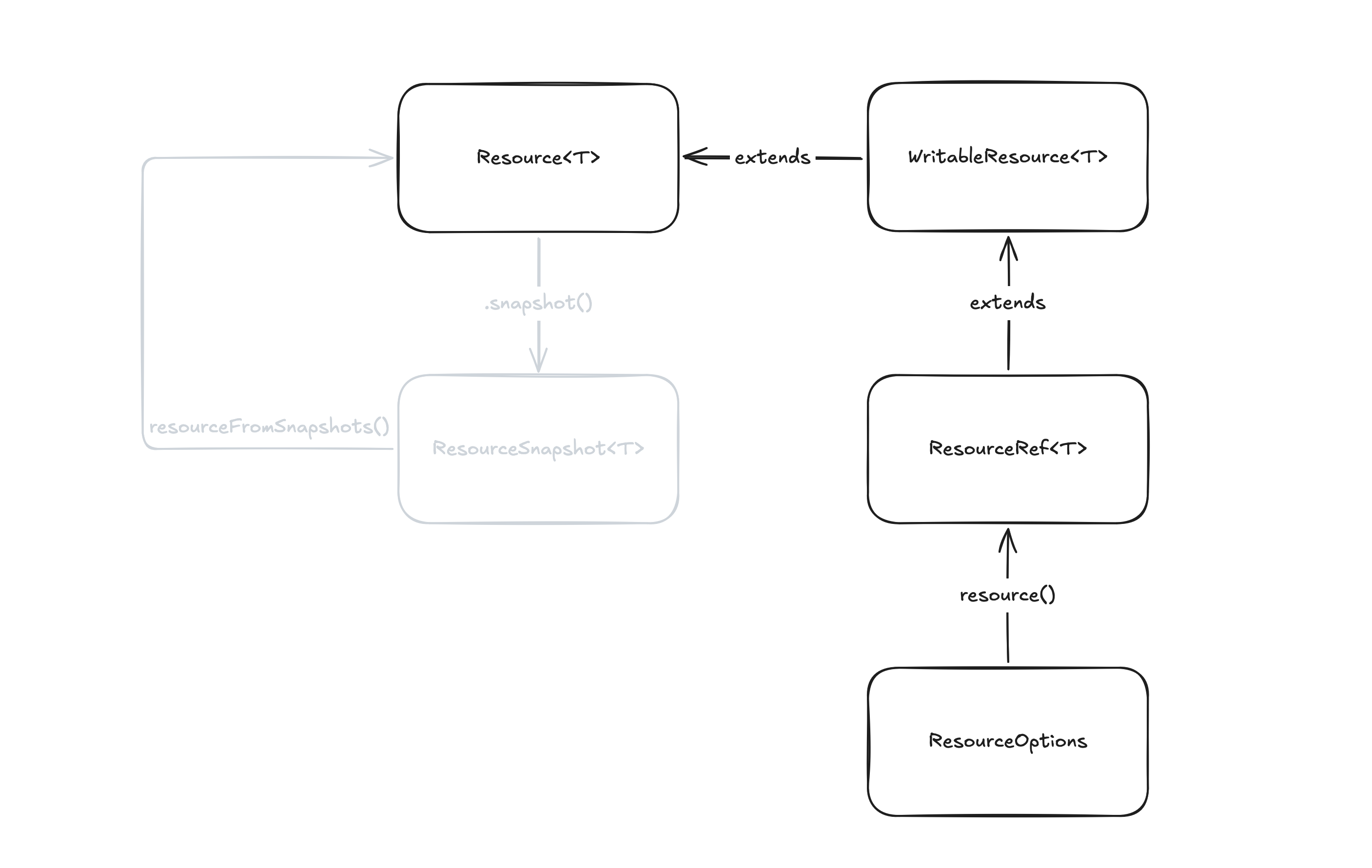
httpResource Function
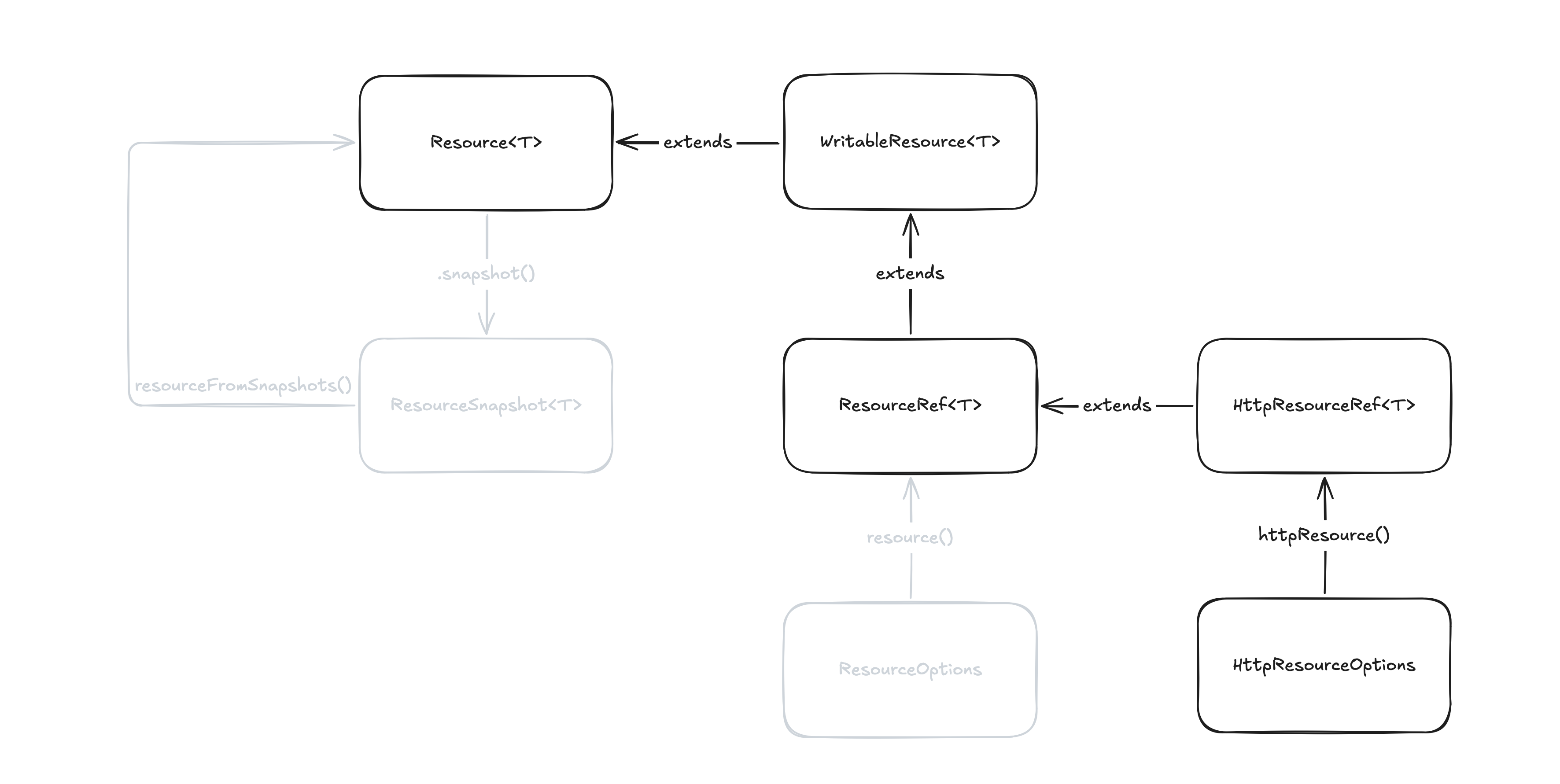
The final one, httpResource, is a built-in Resource factory API like the resource function, but its purpose is more specific. As the name suggests, it’s a factory for constructing a Resource that resolves its value via HTTP requests. It takes a function that resolves a url, and you can obtain the response fetched internally using Angular’s HttpClient as a Resource object. Since its purpose is clear, you shouldn’t have trouble deciding when to use it over other Resource factories.
function httpResource<T>(
  url: (ctx: ResourceParamsContext) => string | undefined,
  options: HttpResourceOptions<T, unknown> & { defaultValue: NoInfer<T>; }
): HttpResourceRef<T>;

const userId = signal<string>('id');
const user = httpResource(() => `/api/user/${userId()}`);
The HttpResourceRef<T> interface adds HTTP-specific states to WritableResource<T>. Since value is managed by WritableResource<T>, it is read-write, but response headers and status codes are read-only. Also, note that calling asReadonly will turn it into a plain Resource<T>, causing any HTTP-specific information to be lost.
export interface HttpResourceRef<T> extends WritableResource<T>, ResourceRef<T> {
  readonly headers: Signal<HttpHeaders | undefined>;
  readonly statusCode: Signal<number | undefined>;
  readonly progress: Signal<HttpProgressEvent | undefined>;
}
Summary
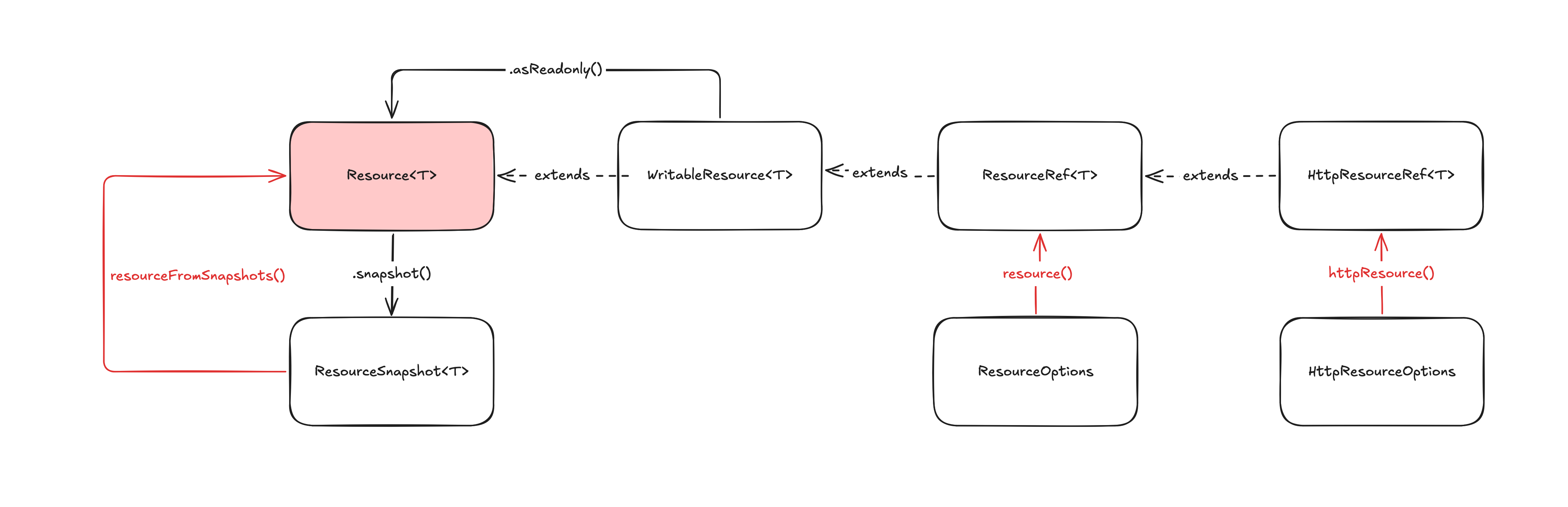
I’ve summarized the relationships among the main APIs covered so far. Centered around Resource<T>, derived interfaces and their corresponding factory functions are provided out of the box. At the same time, implementations for these interfaces are interchangeable. The built-in factory APIs are not anything special; they are open so that you can create implementations specialized for individual use cases. I think keeping these relationships in mind will help you master the Resource API.