
There’s an animation library called Motion. When I had Figma Make generate code, I noticed it was being used for animations, and upon investigation, I discovered that in addition to packages for React and Vue.js, there’s also a JavaScript package.
Since it works with JavaScript, it means it works with Angular, so I tried using Motion for Angular component animations. Below is a sample that works with Angular v21.0 and Motion v12.23.25.
Basic Usage
The basic usage of Motion involves passing the DOM element you want to animate as the first argument to the animate() function, and passing animation details in subsequent arguments.
As an example, let’s prepare an app-animated-box component that can be accessed via the #fadeBox variable in the following template. This component simply displays a rectangle. When the button is clicked, the runFadeAnimation method is called to animate the DOM element of the fadeBox component.
<!-- Fade In Demo -->
<section class="bg-white p-6 rounded-lg shadow-md">
  <h2 class="text-xl font-semibold mb-4 text-gray-700">Fade In Animation</h2>
  <app-animated-box #fadeBox> Fade </app-animated-box>
  <button (click)="runFadeAnimation(fadeBox)" class="btn-base">
    Animate
  </button>
</section>
The component class implementation looks like this. The runFadeAnimation method calls Motion’s animate function. For this fade-in animation, the instruction transitions opacity from 0 to 1 over 600ms.
Since a reference to the DOM element is needed, the AnimatedBox component class has a getElement method defined to return the element reference from its own ElementRef, but you can also reference it from the parent using viewChild.
import { Component, signal, AnimationCallbackEvent } from '@angular/core';
import { AnimatedBox } from './animated-box';
import { animate } from 'motion';

@Component({
  selector: 'app-motion-demo',
  imports: [AnimatedBox],
  templateUrl: './motion-demo.html',
  styleUrl: './motion-demo.css',
})
export class MotionDemo {
  protected runFadeAnimation(box: AnimatedBox): void {
    // getElement(): returns ElementRef.nativeElement
    animate(box.getElement(), { opacity: [0, 1] }, { duration: 0.6, ease: 'easeInOut' });
  }
}
In this manner, you can easily and declaratively implement arbitrary animations with arbitrary triggers, making Motion quite convenient.
Integration with Enter/Leave Animations
Angular has built-in enter/leave animation functionality. I wrote an article about this feature before, so refer to that for details.
Let’s actually try the third-party library integration that I described in that article as follows:
For more complex control, such as when you want to use animations from third-party libraries, you can also use event binding format. As shown below, by calling a callback method with the
(animate.enter)event, you can receive a reference to the DOM element being animated as an argument and execute any processing you like.
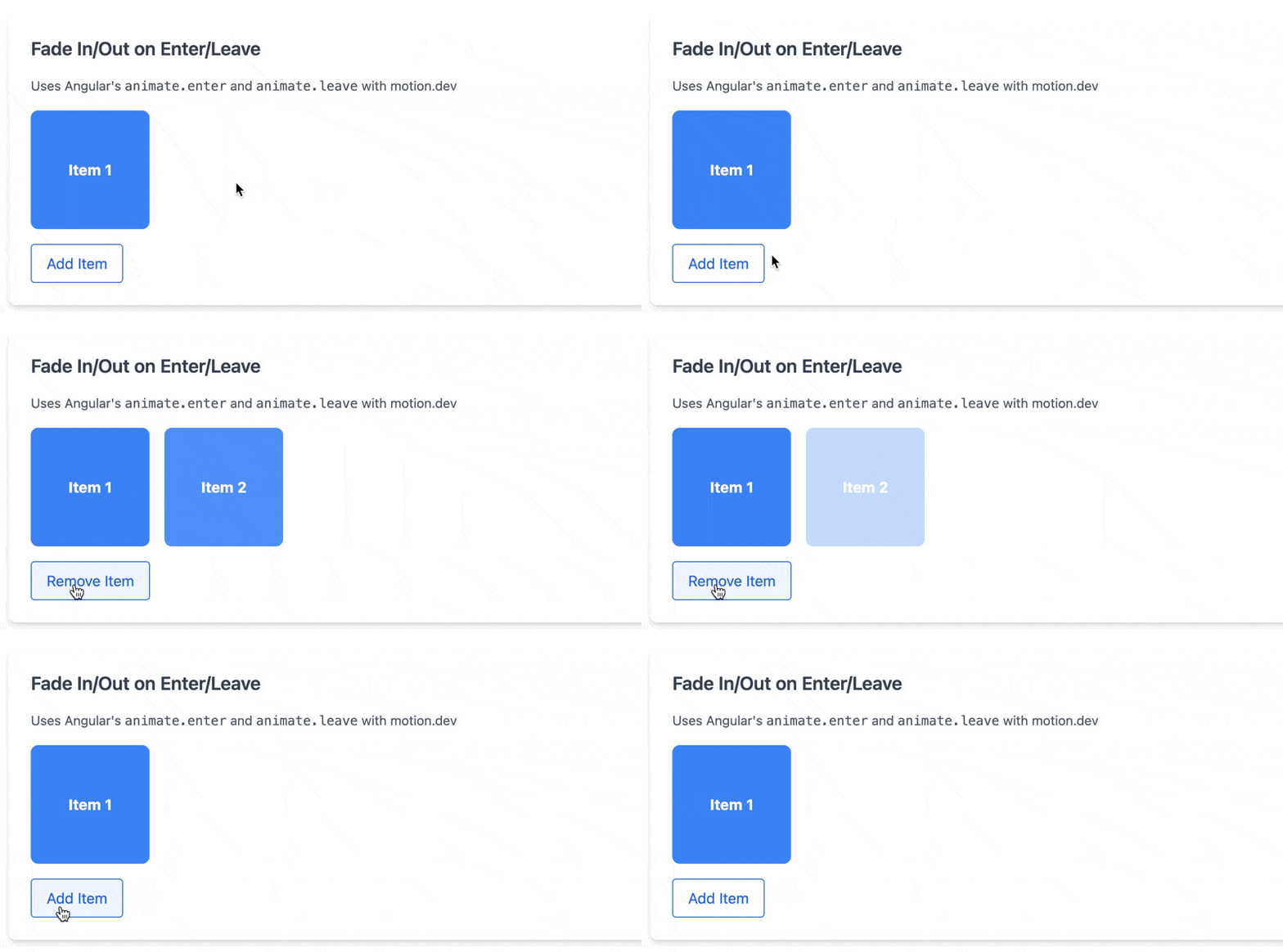
As an example, consider a view where new elements added to an array fade in, and removed elements fade out. As shown below, AnimatedBox components are displayed for the number of elements in the items array. When you press the button, elements are toggled in and out. The AnimatedBox tags displayed corresponding to array elements have listeners set for (animate.enter) and (animate.leave) events, which call the corresponding component methods.
<!-- Fade In/Out on Enter/Leave Demo -->
<section class="bg-white p-6 rounded-lg shadow-md">
  <div class="mt-4 flex gap-4">
    @for (item of items(); track item) {
    <app-animated-box
      #itemBox
      (animate.enter)="onItemEnter(itemBox, $event)"
      (animate.leave)="onItemLeave(itemBox, $event)"
    >
      Item  item
    </app-animated-box>
    }
  </div>
  <button (click)="toggleItem()" class="btn-base">
     items().length === 1 ? 'Add' : 'Remove'  Item
  </button>
</section>
The component class looks like this. Each method receives a reference to the AnimatedBox component as the first argument and the animation event object as the second argument. After animating using Motion’s animate function as in the basic example, event.animationComplete() is called inside the then callback to inform Angular that the animation is complete.
protected onItemEnter(box: AnimatedBox, event: AnimationCallbackEvent): void {
  const element = box.getElement() as HTMLElement;
  element.style.opacity = '0';
  animate(element, { opacity: [0, 1] }, { duration: 0.3 }).finished.then(() => {
    event.animationComplete();
  });
}

protected onItemLeave(box: AnimatedBox, event: AnimationCallbackEvent): void {
  animate(box.getElement(), { opacity: [1, 0] }, { duration: 0.3 }).finished.then(() => {
    event.animationComplete();
  });
}
With just this, you can animate in sync with component creation and destruction timing, so I recommend this if you’re not familiar with CSS animations.
As a trade-off, the library size is a concern compared to implementing with CSS animations alone, but Motion is very lightweight. According to the official documentation, HTML/CSS animation features alone are about 2.3kb. While this might be expensive for a single animation, for applications that make heavy use of animations, I think it’s an excellent solution that meets the need to manage animation definitions in TypeScript.
Additionally, since it’s not an Angular-specific library, there’s a wealth of animation implementation examples available in the world, and it’s easy to reuse implementations generated by prototyping tools like Figma Make. Please try it as a new approach to replace the deprecated @angular/animations.