
In this article, I will explain the basics of the Error Boundary feature, introduced as a developer preview in Angular v22.2, through concrete use cases.
What is an Error Boundary?
An Error Boundary is a boundary that catches errors occurring within a certain scope and decides whether to propagate them outward or handle them on the spot. The most familiar example is probably the standard try/catch syntax for exception handling. Since the rendering of declarative UI components is executed at timings managed by the library, user code cannot catch exceptions that occur during rendering or updates. Therefore, it seems that a mechanism to designate a portion of the component tree as an error boundary becomes necessary.
An error boundary in UI is a mechanism to keep the rest of the screen usable by replacing a part of the component tree with a fallback UI when rendering fails within that boundary. In React, for example, error boundaries are often used as a mechanism to detach part of the component tree from a broken UI and replace it with a fallback UI. In the following example, if an exception occurs during the rendering of Chart, only the inside of the boundary is replaced with an error message, while the Navigation outside the boundary remains as is.
import { ErrorBoundary } from 'react-error-boundary';

function App() {
  return (
    <main>
      <Navigation />
      <ErrorBoundary fallback={<p>グラフを表示できませんでした。</p>}>
        <Chart />
      </ErrorBoundary>
    </main>
  );
}
Since it was previously impossible to create such error boundaries within a part of the component tree in Angular, one had no choice but to handle all errors using the global ErrorHandler API. This issue is addressed by the built-in error boundaries introduced in Angular v22.2.
Use Cases
Fallback Display for Rendering Errors
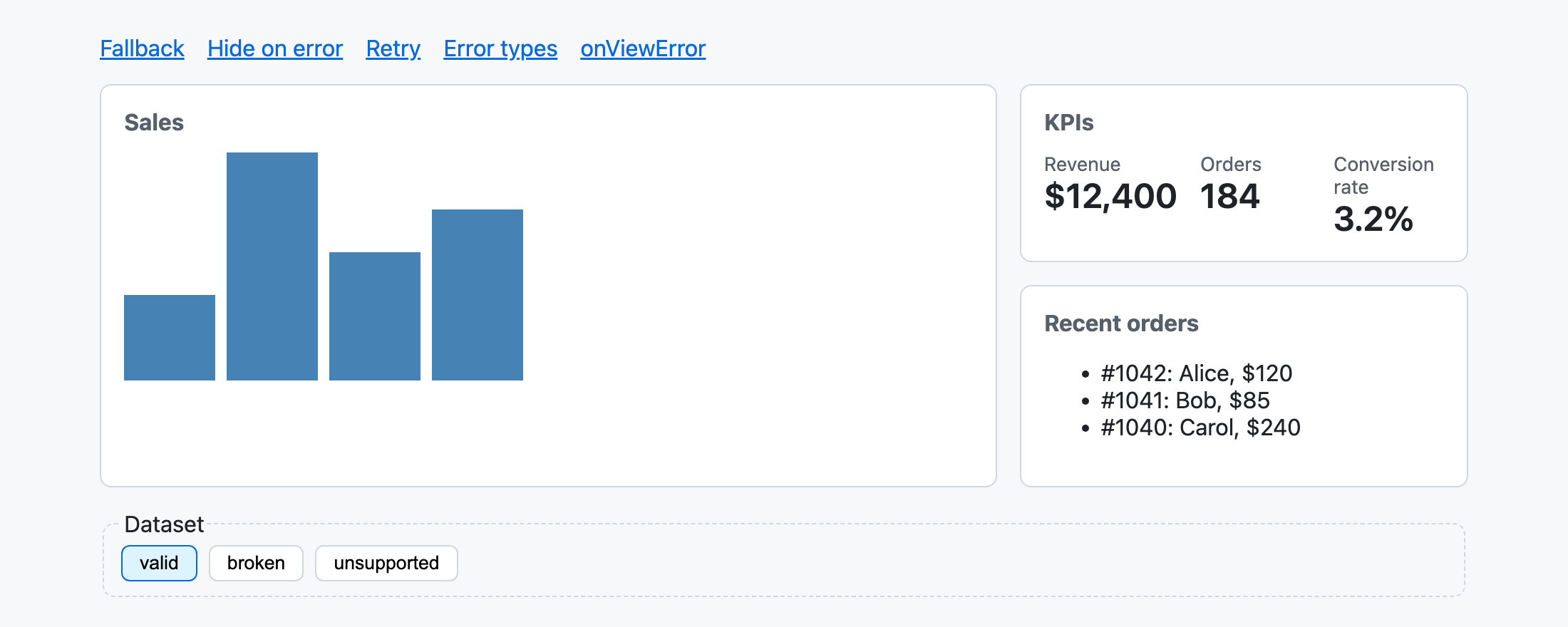
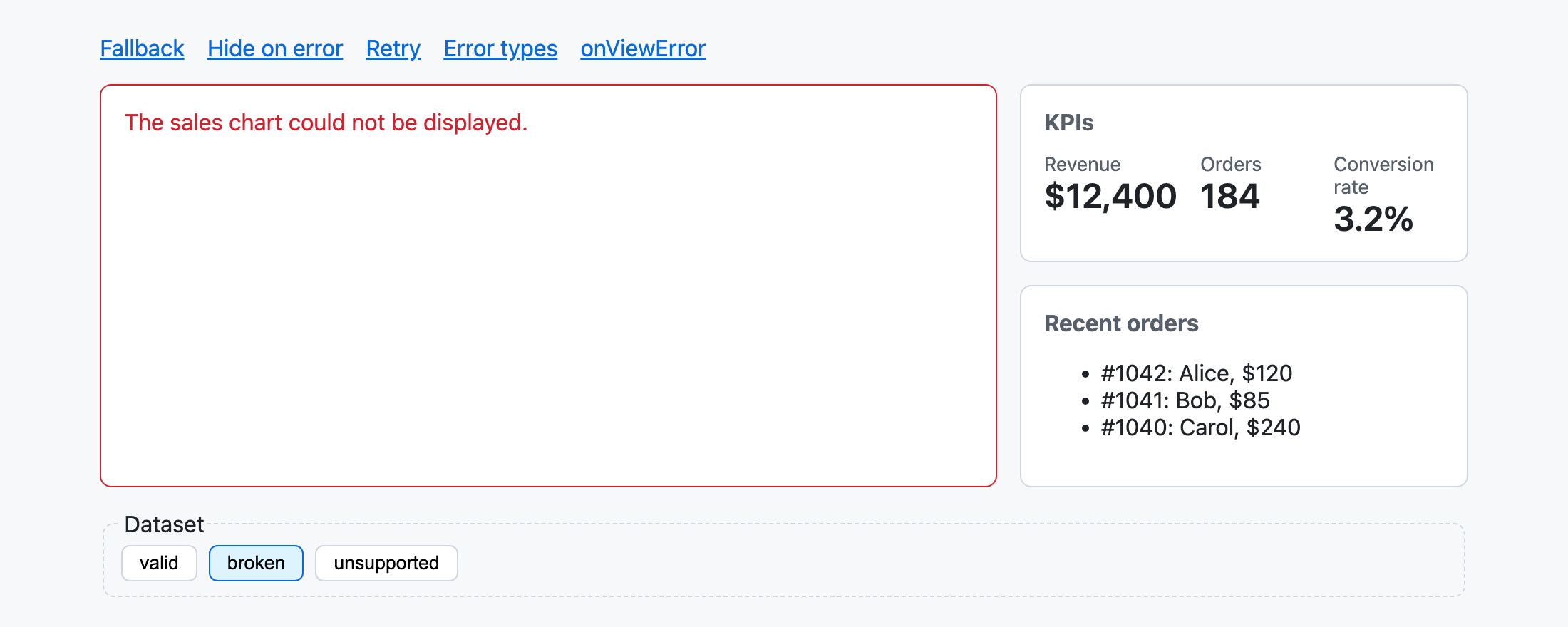
As a first example, let’s take a look at a view like a dashboard where several widgets are lined up. If we wrap each widget with @boundary, the template looks like this. When an exception occurs during initialization or change detection within @boundary, the content of @error is displayed instead of that widget.
// fallback/fallback.ts
import { Component } from '@angular/core';
import { Chart } from '../chart';
import { Navigation } from '../navigation';
import { KpiSummary } from './kpi-summary';
import { RecentOrders } from './recent-orders';

@Component({
  selector: 'app-fallback',
  imports: [Chart, KpiSummary, Navigation, RecentOrders],
  template: `
    <main>
      <app-navigation />
      @boundary {
        <app-chart />
      } @error {
        <p>The sales chart could not be displayed.</p>
      }
      @boundary {
        <app-kpi-summary />
      } @error {
        <p>The KPIs could not be displayed.</p>
      }
      @boundary {
        <app-recent-orders />
      } @error {
        <p>The recent orders could not be displayed.</p>
      }
    </main>
  `,
})
export class Fallback {}
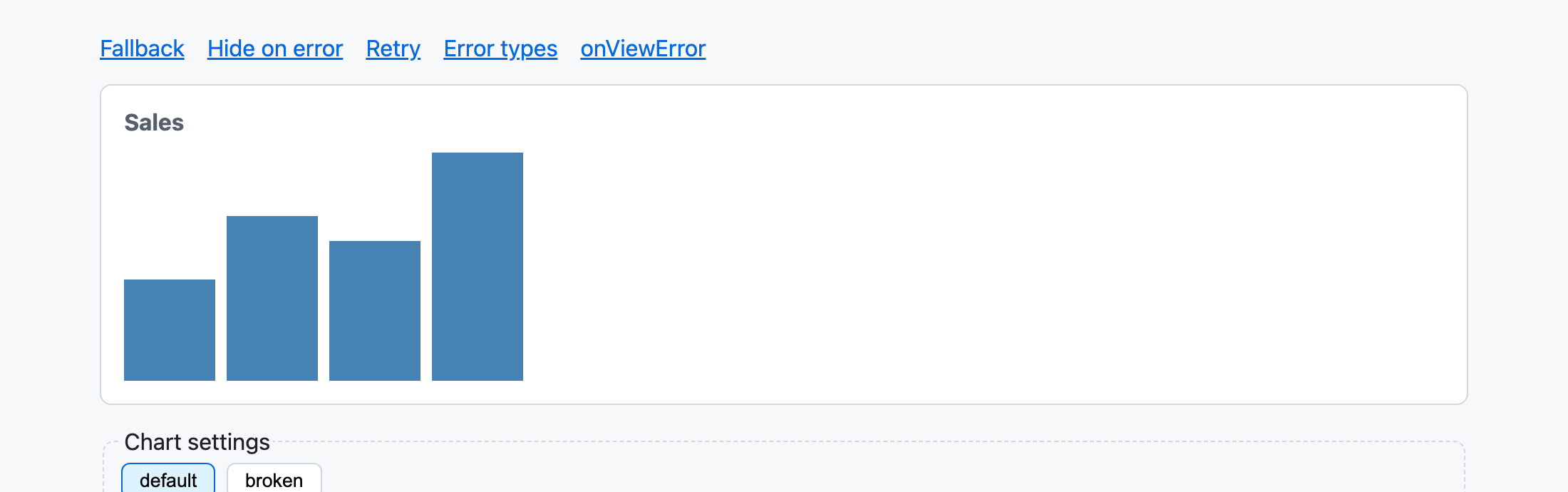
Even if the sales chart widget’s API returns malformed data, only the sales chart will show an error, while the KPI and recent orders remain usable. Without an error boundary, the entire application would have crashed, resulting in a white screen. By isolating error-prone components that depend on dynamic data, we can improve the user experience.
Suppressing Rendering Errors and Skipping Display
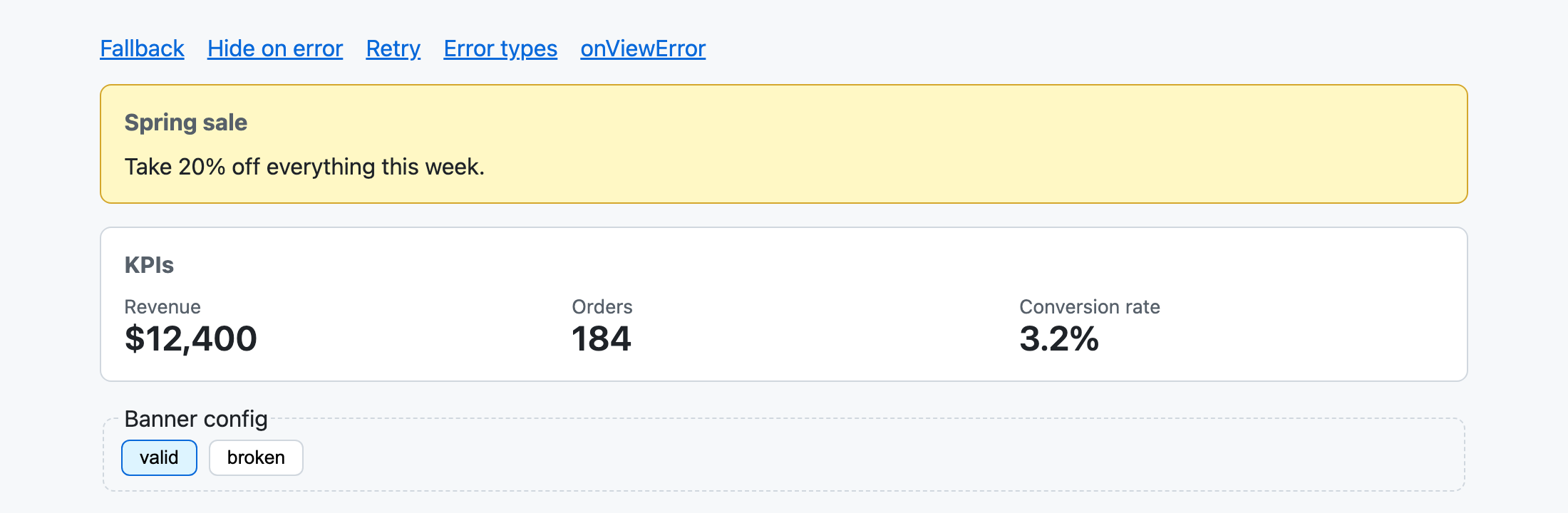
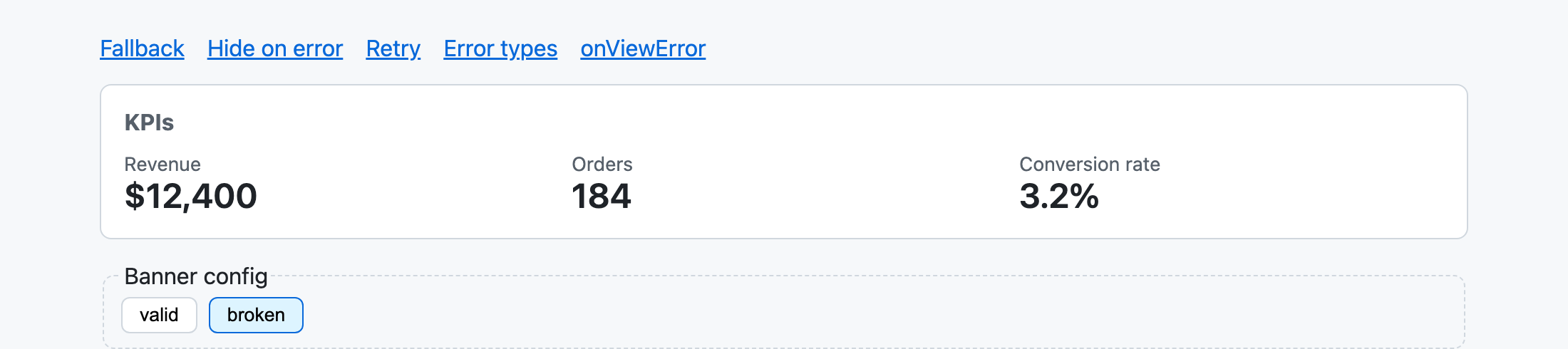
There are also cases where it may be fine not to display something if it cannot be rendered, without even showing a fallback UI. An example is a campaign banner rendered based on dynamically delivered settings. Even if the settings are broken and the banner cannot be rendered, the user shouldn’t be troubled as long as the banner simply isn’t displayed. In such cases, leaving the @error block empty allows you to suppress the error and skip the display.
// hide-on-error/hide-on-error.ts
import { Component } from '@angular/core';
import { KpiSummary } from '../fallback/kpi-summary';
import { Navigation } from '../navigation';
import { CampaignBanner } from './campaign-banner';

@Component({
  selector: 'app-hide-on-error',
  imports: [CampaignBanner, KpiSummary, Navigation],
  template: `
    <main>
      <app-navigation />
      @boundary {
        <app-campaign-banner />
      } @error {}
      <app-kpi-summary />
    </main>
  `,
})
export class HideOnError {}
It is important to note that even when you want to skip the display, an empty @error block cannot be omitted. You can compile without an @error block, but in that case, since there is no @error block to render when an exception occurs, the error will end up being thrown outside the boundary.
Retrying Rendering
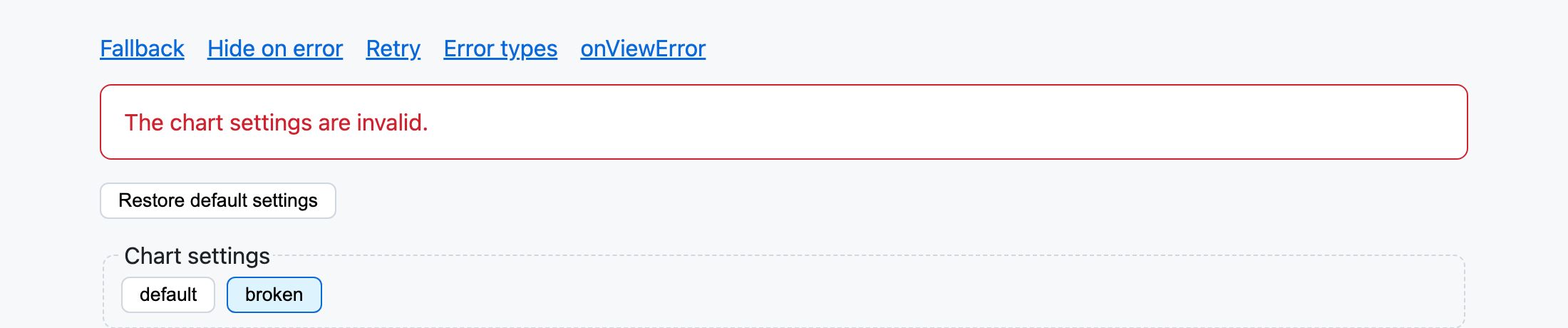
Calling $reset(), which is available within @error, clears the error state and retries the rendering. However, if the situation hasn’t changed, the same exception will just occur again and revert to the @error display, so it’s necessary to call it after removing the cause of the error.
In the next example, let’s consider a case where the display settings for a chart saved by a user are corrupted, and the chart rendering fails. We place a button inside the error display to reset settings to their default values, and after reverting the settings, we call $reset() to redraw the chart.
// retry/retry.ts
import { Component, inject } from '@angular/core';
import { Navigation } from '../navigation';
import { ChartSettingsService } from './chart-settings.service';
import { SeriesChart } from './series-chart';

@Component({
  selector: 'app-retry',
  imports: [Navigation, SeriesChart],
  template: `
    <main>
      <app-navigation />
      @boundary {
        <app-series-chart />
      } @error {
        <p>The chart settings are invalid.</p>
        <button type="button" (click)="restoreDefaults($reset)">Restore default settings</button>
      }
    </main>
  `,
})
export class Retry {
  private readonly chartSettings = inject(ChartSettingsService);

  restoreDefaults(reset: () => void): void {
    this.chartSettings.restoreDefaults();
    reset();
  }
}
Within the @error block, $reset can be referenced as a function, so it can be passed as an argument to component methods like this. Since $reset is treated as a () => void type in template type checking, you can also type the method’s argument as such.
Changing Display Based on Error Content
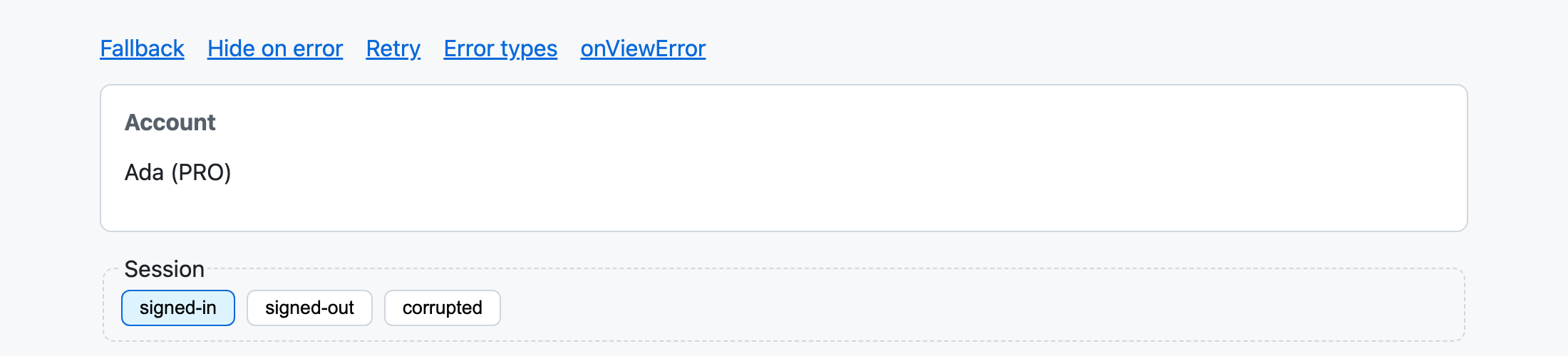
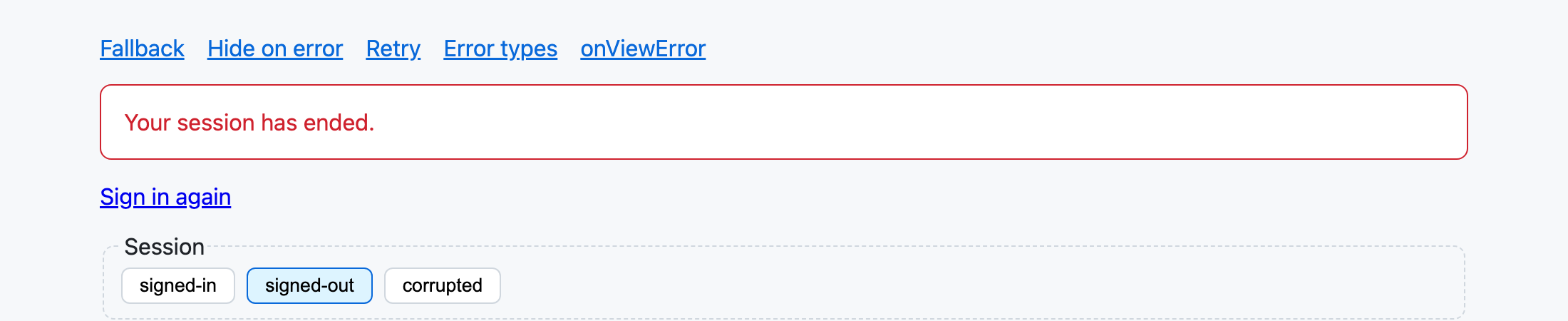
For example, consider a component that displays the account information of a signed-in user. If the user logs out in another tab, the session ends, and the user information that the component refers to during rendering is lost. In this case, unlike a simple rendering failure, we want to show a link to sign in again.
// auth.ts (excerpt)
export class UnauthenticatedError extends Error {}

// inside AuthService
requireUser(): User {
  const user = this.user();
  if (user === null) {
    throw new UnauthenticatedError('No user is signed in.');
  }
  return user;
}
Within the template, you can determine the error using the when condition of @error. Prepare a checking function in the component like the following.
// error-types/error-types.ts (inside the component class)
readonly isUnauthenticated = (error: unknown) => error instanceof UnauthenticatedError;
Then, by declaring error branching conditions in the template, you can fall back to a different UI for each when condition. If an exception other than UnauthenticatedError occurs—for example, a TypeError during rendering because the user information is corrupted—the @error block without a condition will be displayed.
// error-types/error-types.ts
import { Component } from '@angular/core';
import { UnauthenticatedError } from '../auth';
import { Navigation } from '../navigation';
import { AccountSummary } from './account-summary';

@Component({
  selector: 'app-error-types',
  imports: [AccountSummary, Navigation],
  template: `
    <main>
      <app-navigation />
      @boundary {
        <app-account-summary />
      } @error (let error; when isUnauthenticated(error)) {
        <p>Your session has ended.</p>
        <a href="/sign-in">Sign in again</a>
      } @error {
        <p>Your account could not be displayed.</p>
      }
    </main>
  `,
})
export class ErrorTypes {
  readonly isUnauthenticated = (error: unknown) => error instanceof UnauthenticatedError;
}
Collecting Rendering Errors with onViewError
While error boundaries have made it possible to prevent application crashes, there are cases where simply suppressing them can be a problem. If errors occur frequently, something might be wrong with the backend API. In such cases, you might want to record the occurrence of fallbacks in an error collection service. Using the onViewError method of ErrorHandler, you can receive and process errors caught by error boundaries. The following example assumes the use of Sentry as an error collection service.
// on-view-error/app-error-handler.ts
import { ErrorHandler, Injectable, reflectComponentType, Type } from '@angular/core';
import type { ErrorDetails } from '@angular/core';
import { Sentry } from './sentry';

@Injectable()
export class AppErrorHandler implements ErrorHandler {
  handleError(error: unknown): void {
    Sentry.captureException(error);
  }

  onViewError(error: Error, details: ErrorDetails): void {
    Sentry.captureException(error, {
      tags: {
        component: selectorOf(details.declarationType),
        boundary: details.boundary ? selectorOf(details.boundary.type) : 'none',
      },
    });
  }
}

// Class names are minified in production builds, so the selector names the component instead.
function selectorOf(type: Type<unknown>): string {
  return reflectComponentType(type)?.selector ?? type.name;
}
The ErrorDetails object includes the class (declarationType) and instance (declarationInstance) of the component or directive where the error occurred, as well as the class of the component declaring the boundary that caught the error (boundary.type). In this example, these are sent as Sentry tags, making it possible to aggregate which component’s rendering failed on which screen. However, since class names are minified in production builds and the original name cannot be obtained from the name property, I’m using reflectComponentType to extract the component’s selector and use it as the tag value.
Summary
With the introduction of built-in error boundaries as template syntax, it has become quite simple to implement robust applications that do not crash easily. In administrative screens for complex business systems where Angular is often used, it might be a good idea to use error boundaries like firewalls so that an error in one part doesn’t break the entire application.
Particularly in contexts like A2UI or Generative UI, where UIs are displayed based on JSON generated by an LLM, we are forced to handle non-deterministic and untrustworthy data on the client side. While defending with validation is important, leveraging error boundaries to ensure the application doesn’t crash even in the worst-case scenario will likely become the standard going forward.
Personally, this is a feature I’ve wanted for a long time, so I’m very happy that it’s finally available from v22.2. While keeping in mind that it is still a developer preview, let’s actively make use of it.
The sample code for this article is available on GitHub.